

1 Simulator.app
iOS模拟器App位于XCode中:
/Applications/Xcode.app/Contents/Developer/Applications/Simulator.app Simulator.app只是定义了模拟器的UI。
想要完整的运行模拟器,还需要很多其他组件。
2 CoreSimulator & SimulatorKit
CoreSimulator是一个Framework,它位于:
/Library/Developer/PrivateFrameworks/CoreSimulator.framework/Versions/A/CoreSimulator 这个Framework会启动一个XPC服务:com.apple.CoreSimulator.CoreSimulatorService。
这个XPC服务统管Mac上的所有模拟器。
当创建一个新的模拟器时,就是由这个XPC服务创建对应的模拟器设备文件和运行时。
CoreSimlator.framework还依赖于SimulatorKit.framework:
/Applications/Xcode.app/Contents/Developer/Library/PrivateFrameworks/SimulatorKit.framework/Versions/A/SimulatorKit 3 模拟器设备文件
有了模拟器设备文件,在XCode的设备列表中,才会显示出有哪些模拟器可用:
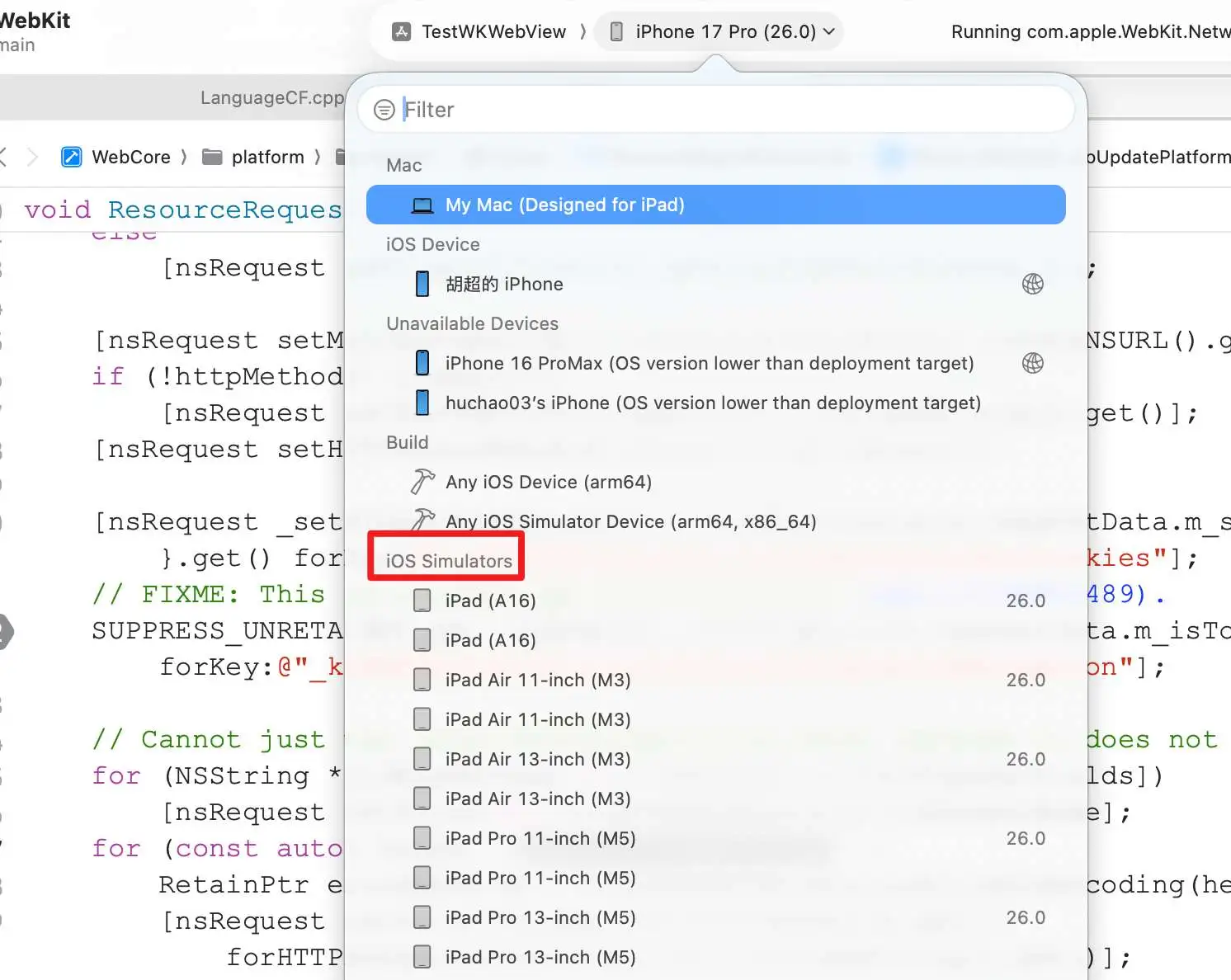
模拟器设备文件定义在:
/Library/Developer/CoreSimulator/Profiles/DeviceTypes 这个目录下的每一个.simdevicetpye文件定义了一个模拟器设备。
每一个.simdevicetype文件都是一个bundle文件。
这个bundle文件中最重要的是位于Resources文件夹下的2个plist文件:
profile.plist定义了这个模拟器的特征,比如屏幕大小。
capabilities.plist定义了这个模拟器支持的功能。
4 模拟器运行时
iOS模拟器要运行,还需要对应的运行时支持。
运行时文件定义在:
/Library/Developer/CoreSimulator/Volumes/iOS_23A343/Library/Developer/CoreSimulator/Profiles/Runtimes 这个目录下的每一个.simruntime文件定义对应模拟器的运行时。
每一个simruntime文件是一个bundle文件。
这个bundle文件中最重要的是位于Resources文件夹下的plist文件:profile.plist。
profile.plist里定义这个模拟器支持的iOS系统版本,以及依赖的服务。
5 模拟器的启动
模拟器由launchd_sim启动,它位于模拟器运行时下:
/Library/Developer/CoreSimulator/Volumes/iOS_23A343/Library/Developer/CoreSimulator/Profiles/Runtimes/iOS 26.0.simruntime/Contents/Resources/RuntimeRoot/sbin/launchd_sim launchd_sim会依次将模拟器所需要的服务启动起来。
这些依赖的服务都定义在com.apple.CoreSimulator.bridge.plist中,它位于:
/Library/Developer/PrivateFrameworks/CoreSimulator.framework/Versions/A/Resources/Platforms/iphoneos/Library/LaunchDaemons/com.apple.CoreSimulator.bridge.plist 模拟器启动完成之后,它的根文件系统挂载在RuntimeRoot目录:
/Library/Developer/CoreSimulator/Volumes/iOS_23A343/Library/Developer/CoreSimulator/Profiles/Runtimes/iOS 26.0.simruntime/Contents/Resources/RuntimeRoot 它的数据部分挂载如下目录:
~/Library/Developer/CoreSimulator/Devices/UUID 当在模拟器环境下执行
po NSHomeDirectory() 会得到如下输出:
po NSHomeDirectory() /Users/huchao03/Library/Developer/CoreSimulator/Devices/4115D910-245F-425D-8E82-EAE2E238147A/data/Containers/Data/Application/ E6BDDBF1-447D-4D37-98F8-E61F48080A48 当模拟器需要访问相应的文件系统,CoreSimulatorBridge就会拦截这个请求,将其代理到对应目录上。
CoreSimulatorBridge位于:
/Library/Developer/PrivateFrameworks/CoreSimulator.framework/Versions/A/Resources/Platforms/iphoneos/usr/libexec/CoreSimulatorBridge 6 dyld_sim
模拟器运行时,加载链接动态库时,不是使用的dyld,而是dyld_sim。
dyld_sim位于RuntimeRoot中:
/Library/Developer/CoreSimulator/Volumes/iOS_23A343/Library/Developer/CoreSimulator/Profiles/Runtimes/iOS 26.0.simruntime/Contents/Resources/RuntimeRoot/usr/lib/dyld_sim 7 simctl
simctl命令行工具可以运行、杀死模拟器。
simctl是XCode自带的工具,运行是需要使用xcrun命令:
xcrun simctl list simctl位于:
/Applications/Xcode.app/Contents/Developer/usr/bin/simctl 


