

二次封装组件需要考虑的3个重要的问题
1,props 如何进行传递
2,插槽如何穿透
3,暴露实例以及实例中的方法
在vue3中的$attrs的变化
vue3中$listeners已被删除合并到$attrs中。
vue3的$attrs现在包括class和style属性。
vue2中不包含class和style属性。
也就是说:当子组件写上 v-bind="$attrs"
父组件就可以使用子组件的内置事件和内置属性了。
下面我们会详细说一下$attrs
props 如何进行传递属性和事件
我们可以在子组件中使用 v-bind="$attrs"
这样可以把父组件中的属性传递给子组件了
// 子组件 <template> <div> <!-- v-bind="$attrs" 可以接收到父组件中的属性设置 --> <el-input v-bind="$attrs"></el-input> </div> </template> // 父组件 <template> <div> <MyInput class="set-width" placeholder="请输入名称" clearable v-model="name" @blur="clearHandler"></MyInput> </div> </template> <script setup lang="ts"> import MyInput from '@/components/MyInput.vue' import { ref } from 'vue'; let name = ref('') const clearHandler = () => { console.log('失去焦点啦') name.value += 'copy' } </script> <style lang="scss" scoped> .set-width { margin: 100px; width: 300px; } </style> 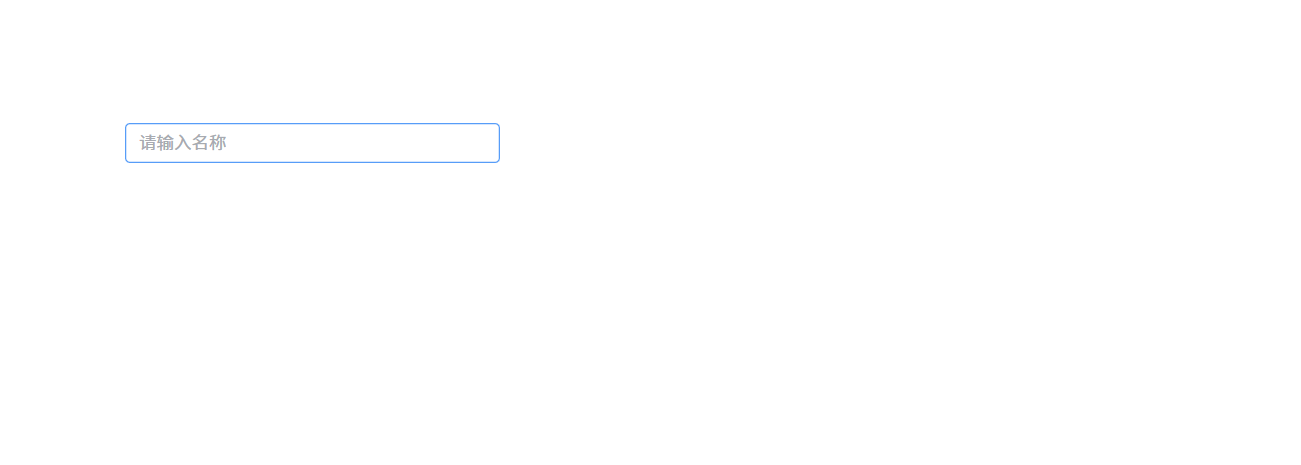


如何解决写组件时没有属性提示的问题
我们发现一个问题:在父组件中的组件写相关属性时,没有属性提示。
// 子组件 <template> <div> <!-- v-bind="props" 现在我们的属性肯定是 element-plus 的内置属性了 --> <el-input v-bind="props"></el-input> </div> </template> <script setup lang="ts"> // 引入 input 的所有属性 import { type InputProps} from 'element-plus' // 定义 props, Partial将必填属性变成可选属性 const props = defineProps<Partial<InputProps>>() </script> 这样父组件在使用的时候,就可以看到属性提示了。
插槽如何封装1: 通过 template 来封装插槽
<template> <div> <el-input v-bind="props"> <!-- 插槽 --> <template v-for="(_, slotName) in $slots" #[slotName]> <slot :name="slotName"></slot> </template> </el-input> </div> </template> <script setup lang="ts"> // 引入 input 的所有属性 import { type InputProps} from 'element-plus' // 定义 props, Partial将必填属性变成可选属性 const props = defineProps<Partial<InputProps>>() 插槽如何封装2: 通过h函数来处理插槽
我们使用h函数来进行封装。
h函数如果第1个参数如果是组件,那么第三个参数就是插槽
<template> <div> <!-- 我们使用h函数来进行封装,h函数如果第1个参数如果是组件,那么第三个参数就是插槽 --> <component :is="h(ElInput, {...$attrs,...props}, $slots)"></component> </div> </template> <script setup lang="ts"> import { h } from 'vue' // 引入 input 的所有属性 import { type InputProps, ElInput} from 'element-plus' // 定义 props, Partial将必填属性变成可选属性 const props = defineProps<Partial<InputProps>>() </script> // 父组件 <template> <div> <MyInput class="set-width" placeholder="请q输入内容"> <!-- 在组件中使用插槽 --> <template #prepend> <el-select v-model="select" placeholder="Select" style="width: 115px"> <el-option label="Restaurant" value="1" /> <el-option label="Order No." value="2" /> <el-option label="Tel" value="3" /> </el-select> </template> <template #append>.com</template> </MyInput> </div> </template> <script setup lang="ts"> import MyInput from '@/components/MyInput.vue' import { ref } from 'vue'; const select = ref('1') </script> <style lang="scss" scoped> .set-width { margin: 100px; width: 300px; } </style>

暴露实例以及实例中的方法
我们可以通过 defineExpose 来暴露实例以及方法【常用的】
也可以通过vm.exposed来进行暴露实例以及方法
需要注意组件最初设置了v-if=false这种情况
// 子组件 <template> <div> <!-- 我们使用h函数来进行封装,h函数如果第1个参数如果是组件,那么第三个参数就是插槽 --> <component :is="h(ElInput, {...$attrs,...props, ref: nodeRef}, $slots)"></component> </div> </template> <script setup lang="ts"> import { h, getCurrentInstance } from 'vue' // 引入 input 的所有属性 import { type InputProps, ElInput} from 'element-plus' // 定义 props, Partial将必填属性变成可选属性 const props = defineProps<Partial<InputProps>>() // 获取当前组件实例 const vm = getCurrentInstance() // ref可以是一个字符串,也可以是一个函数。这样父组件就可以通过ref访问这个组件的实例了 function nodeRef(inputInstance) { // 现在我们把子组件实例给他,当组件使用了v-if=false的时候,inputInstance为null // 这里我们是把实例(实例中包含方法)暴露出去 vm.exposed= inputInstance || {} // 代理对象也要做同步的更改 vm.exposeProxy = inputInstance || {} } </script> // 父组件 <template> <div> <MyInput class="set-width" v-model="msg" ref="NodeInputRef" placeholder="请输入内容" @blur="clearHandler"> <!-- 在组件中使用插槽 --> <template #prepend> <el-select v-model="select" placeholder="Select" style="width: 115px"> <el-option label="Restaurant" value="1" /> <el-option label="Order No." value="2" /> <el-option label="Tel" value="3" /> </el-select> </template> <template #append>.com</template> </MyInput> <el-button @click="getHandler">清空值</el-button> </div> </template> <script setup lang="ts"> import MyInput from '@/components/MyInput.vue' import { ref } from 'vue'; const select = ref('1') const msg = ref('放假快乐') const NodeInputRef = ref(null) // 获取实例中的方法 const getHandler = () => { NodeInputRef.value?.clear() } const clearHandler = () => { console.log('失去焦点啦') } </script>


另外一种暴露方式
常见的暴露方式 defineProps({ name:xxx, age:xxx, }) 等价与下面这一种 vm.exposed= { name:xxx, age:xxx, } vue3 中的 props
props 是组件的自定义属性,用于从父组件向子组件传递数据。
props 不会包含继承的属性(如 class 和 style),除非显式声明。
vue3 中的 $attrs
vu3中$attrs: 包含了所有[传递]给[子组件]的非 props 属性。如:继承的属性(如 class 和 style)以及未在 props 中声明的属性。
vue3中的$attrs: 包含 style和class。$attrs包含着数据和事件。
vue3 $listeners已被删除合并到$attrs中。
在vue2中的$attrs
vu2中$attrs: 包含了所有[传递]给[子组件]的非 props 属性和style和class之外的属性。
vue2中的$attrs: 不包含 style和class
下面是详细的讲解:
在V ue2 中,attrs里面包含着上层组件传递的所有数据(除style和class)
当一个组件声明了prop时候,attrs里面包含除去prop里面的数据剩下的数据。
结合inheritAttrs:false,可以将传递下来的数据应用于其他元素,而不是根元素。
h函数封装上面的组件
有些的小伙伴说:我们是否可以使用h函数去封装上面的组件呢?
<script lang="ts"> import { defineComponent, h, getCurrentInstance } from 'vue' import { type InputProps, ElInput } from 'element-plus' export default { // 组件名称 name: 'MyInput', inheritAttrs: false, setup(props, { attrs, slots }) { console.log('attrs', attrs) // attrs:除去props中声明的属性。包含属性和事件 const vm = getCurrentInstance() function nodeRef(inputInstance: any) { vm.exposed = inputInstance || {} vm.exposeProxy = inputInstance || {} } return () => h(ElInput, { ...attrs, ...props, ref: nodeRef }, slots) } } <template> <div> <MyInput class="set-width" placeholder="请输入名称" clearable v-model="name" @blur="clearHandler"></MyInput> </div> </template> <script setup lang="ts"> import MyInput from '@/components/MyInput.vue' import { ref } from 'vue'; let name = ref('') const clearHandler = () => { console.log('失去焦点啦') name.value += 'copy' } </script> <style lang="scss" scoped> .set-width { margin: 100px; width: 300px; } </style>




![洛谷 P11345 [KTSC 2023 R2] 基地简化 题解](http://www.itfaba.com/wp-content/themes/kemi/timthumb.php?src=http://www.itfaba.com/wp-content/themes/kemi/img/random/3.jpg&w=218&h=124&zc=1)
