

导航
- Supervisor是什么
- centos安装Supervisor
- 使用yum安装Supervisor
- 查看supervisor是否安装成功
- 启动
- 设置supervisor 开机启动
- 查看服务状态
- 配置supervisor,web管理页面
- 结语
- 参考
本文首发《如何用supervisor优雅的管理服务进程》。阅读时长3min。
视频讲解
Supervisor是什么
Supervisor是一个Python写的进程管理工具,可以方便用于启动、重启、关闭进程。特别适合需要常驻内存的进程。
Supervisor相关命令:
# 启动supervisord supervisord -c /etc/supervisord.conf supervisorctl -c /etc/supervisord.conf # 停止supervisord supervisorctl shutdown # 重新载入配置 supervisorctl reload # 查看程序状态 supervisorctl status # 查看服务器进程 ps -ef | grep supervisord centos 安装Supervisor
(1) 使用yum安装Supervisor
yum install -y supervisor
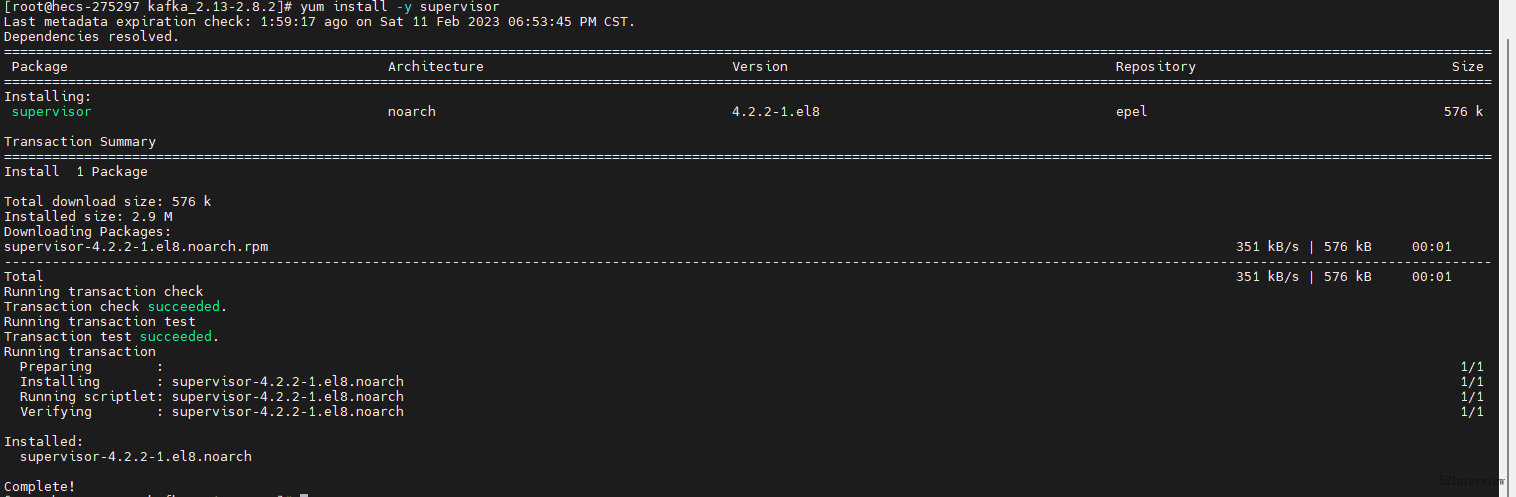
安装好后在/etc/会生成一个supervisord.conf文件及一个supervisord.d文件目录
(2) 查看supervisor是否安装成功
[root@hecs-275297 /]# supervisord --version 4.2.2 (3) 启动
[root@hecs-275297 ~]# supervisord -c /etc/supervisord.conf 查看supervisor是否启动成功
[root@hecs-275297 ~]# ps -ef|grep supervisord root 4031860 1 0 21:05 ? 00:00:00 /usr/bin/python3.6 /usr/bin/supervisord -c /etc/supervisord.conf root 4033110 4030772 0 21:08 pts/0 00:00:00 grep --color=auto supervisord [root@hecs-275297 ~]# (4) 设置supervisor 开机启动
[root@hecs-275297 ~]# systemctl enable supervisord Created symlink /etc/systemd/system/multi-user.target.wants/supervisord.service → /usr/lib/systemd/system/supervisord.service. [root@hecs-275297 ~]# 检查是否是开机启动
[root@hecs-275297 ~]# systemctl is-enabled supervisord enabled (5) 查看服务状态
[root@hecs-275297 ~]# systemctl status supervisord.service ● supervisord.service - Process Monitoring and Control Daemon Loaded: loaded (/usr/lib/systemd/system/supervisord.service; enabled; vendor preset: disabled) Active: active (running) since Sat 2023-02-11 21:28:42 CST; 48s ago Process: 4040629 ExecStart=/usr/bin/supervisord -c /etc/supervisord.conf (code=exited, status=0/SUCCESS) Main PID: 4040632 (supervisord) Tasks: 1 (limit: 23712) Memory: 16.3M CGroup: /system.slice/supervisord.service └─4040632 /usr/bin/python3.6 /usr/bin/supervisord -c /etc/supervisord.conf Feb 11 21:28:42 hecs-275297 systemd[1]: Starting Process Monitoring and Control Daemon... Feb 11 21:28:42 hecs-275297 systemd[1]: Started Process Monitoring and Control Daemon. [root@hecs-275297 ~]# (6) 配置supervisor,web管理页面
修改配置信息,supervisor 默认配置文件,放在 /etc/supervisord.conf 路径中:
[inet_http_server] ; HTTP 服务器,提供 web 管理界面 port=*:9001 ; Web 管理后台运行的 IP 和端口 username=admin ; 登录管理后台的用户名 password=123 ; 登录管理后台的密码 [include] files = supervisord.d/*.conf ;配置文件夹 修改完之后重启:
[root@hecs-275297 ~]# supervisorctl reload Restarted supervisord Notes: 为了演示,这的账户和密码设置很简单,实际在配置的时候,建议设置复杂密码。
在浏览器访问:http://ip:9001
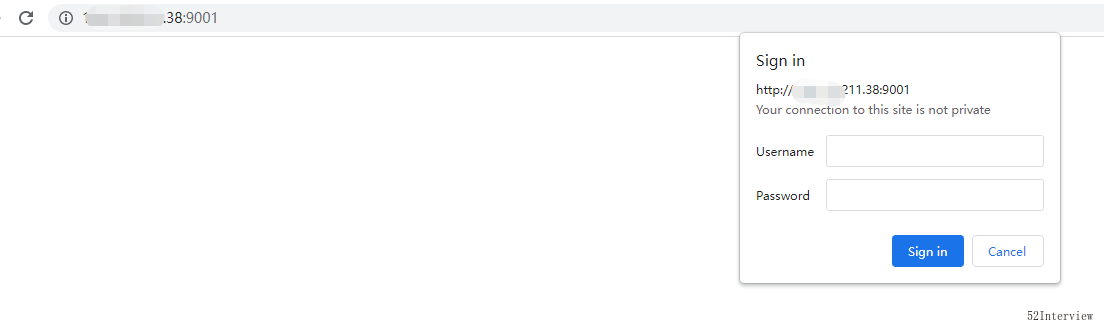
输入刚才在supervisord.conf文件中设置的账户和密码。
这个时候我们可以通过9001端口访问下这个页面,就能看到一个没有任务列表的的页面
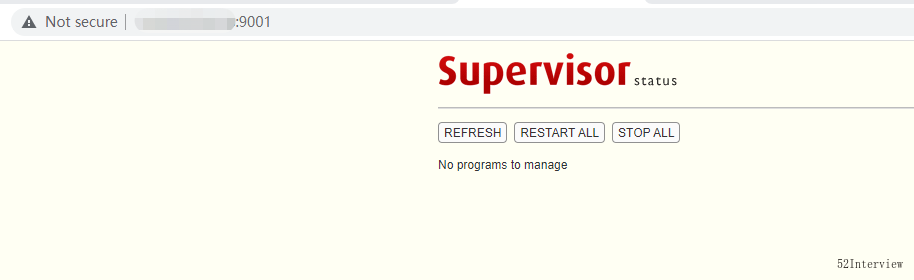
至此,supervisor安装完毕!
结语
在实际工作中,supervisor都有大量使用来管理我们生产环境的进程。
当服务器出问题导致所有应用程序都被终止,此时可以用supervisor同时启动所有应用程序而不是一个一个地敲命令启动。
参考





